
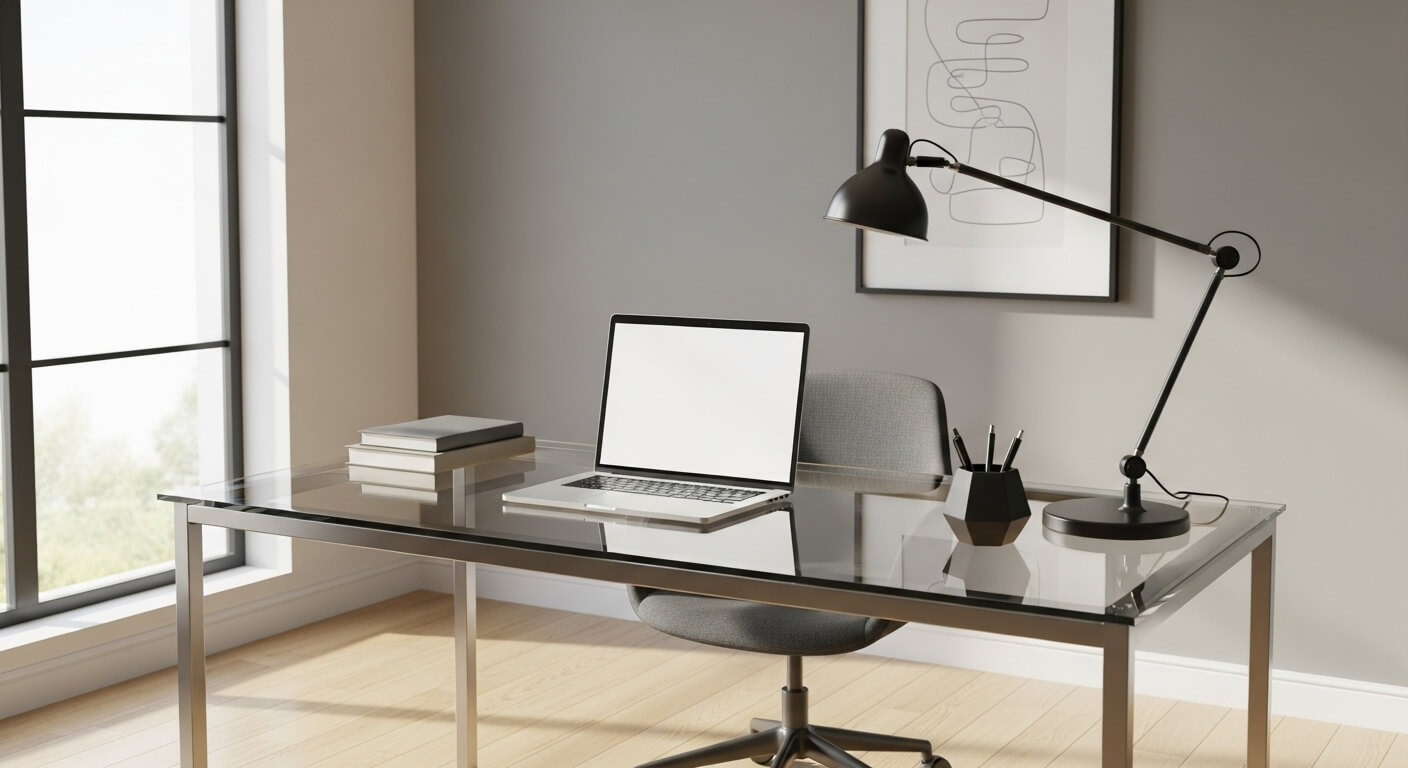
A glass-top computer table instantly modernizes a workspace. Its sleek, transparent surface creates an illusion of more space, making even small home offices feel airy and open. Whether you are a gamer showing off a custom rig or a remote worker looking for a minimalist aesthetic, glass is a stylish choice. However, that crystal-clear elegance comes with a trade-off: it hides nothing. Every fingerprint, dust mote, and coffee ring stands out like a beacon on the smooth surface.
Keeping a glass desk looking pristine doesn’t require hours of scrubbing, but it does demand a specific care routine. Unlike wood or laminate, glass interacts with light, magnifying imperfections if not properly cleaned. This guide will walk you through everything you need to know to maintain a glass-top computer table. From daily wipe-downs to long-term scratch prevention, we will cover the essential steps to keep your workspace shining bright.
Why Glass Desks Require Special Care
Before diving into the “how-to,” it is helpful to understand the material. Most computer tables are made from tempered glass, which is heat-treated to be up to four times stronger than standard glass. While durable, tempered glass is not invincible. It can still scratch, chip, and accumulate grime that dulls its appearance over time.
The main challenge with a glass desk is visibility. Opaque surfaces absorb light and hide dust. Glass reflects light, meaning smudges and streaks interfere with the visual appeal. Establishing a routine is key. A little bit of daily effort prevents the buildup that turns a quick clean into a major chore.
Essential Tools for Cleaning a Glass Desk
Using the right tools prevents damage. Abrasive scrubbers can leave permanent scratches, and the wrong cloth will leave lint behind.
- Microfiber Cloths: These are non-negotiable. You need at least two: one for washing and one for drying.
- Distilled Water: Tap water often contains minerals like calcium that leave white spots behind as they dry.
- White Vinegar: A natural, effective cleaner that cuts through grease without leaving streaks.
- Spray Bottle: For mixing your DIY solution.
- Squeegee (Optional): Great for larger desks to quickly remove moisture.
- Isopropyl Alcohol: Perfect for stubborn ink spots or adhesive residue.
Daily Cleaning Routine: Banishing Fingerprints
The battle against smudges is won daily. Oils from your hands, wrists, and forearms transfer easily to the glass surface while you type or mouse.
The Quick Wipe-Down
At the end of your workday or gaming session, take 30 seconds to wipe down the high-traffic areas.
- Clear the Area: Move your keyboard and mouse aside.
- Dry Dusting: Use a dry microfiber cloth to sweep away loose dust. If you wet the surface before removing dust, you will just create mud streaks.
- Spot Clean: Breathe onto the smudged area or use a tiny spritz of water, then buff with the microfiber cloth.
This simple habit prevents oils from hardening and becoming difficult to remove later.
The Deep Clean: A Weekly Ritual
Once a week, give your desk a thorough cleaning to restore that “just unboxed” shine.
DIY Glass Cleaner Recipe
Commercial glass cleaners work well, but they often contain ammonia or blue dyes. A simple homemade solution is cheaper and often more effective for a streak-free finish.
- Mix 50% distilled water and 50% white vinegar in a spray bottle.
Step-by-Step Deep Cleaning
- Remove Everything: Take everything off the desk—monitors, peripherals, desk mats, and decor. This is also a great time to clean the dust off your monitor stand and keyboard.
- Dust First: As with the daily routine, remove dry dust first.
- Spray the Cloth, Not the Desk: Mist your cleaning solution onto your microfiber cloth rather than spraying the glass directly. This prevents liquid from running down the back of the desk and potentially damaging cables or electronics situated below.
- Wipe in an “S” Pattern: Start at the top corner and wipe in a continuous “S” pattern down the desk. This ensures you cover every inch without redepositing dirt on clean areas.
- Check for Streaks: Look at the glass from different angles to catch streaks. Buff them out immediately with a dry cloth.
- Clean the Underside: Don’t forget the bottom of the glass! Dust clings to the underside via static electricity. A quick wipe underneath makes the top surface look clearer.
Preventing Scratches: The Enemy of Glass
Scratches are the one type of damage you cannot easily clean away. Once the surface integrity of tempered glass is breached, it is difficult to restore perfectly. Prevention is your best defense to protect glass table surfaces.
Use Desk Pads and Mouse Mats
The most common cause of micro-scratches is the friction from mouse movement and keyboard shifting. Invest in a high-quality, extended desk mat (often called a desk pad). These cover the primary work area, providing a soft barrier between your peripherals and the glass.
Lift, Don’t Drag
When moving equipment like monitors, speakers, or PC towers, always lift them completely off the glass. Even a small grain of sand or hard dust trapped under a monitor stand can gouge the glass if dragged across it.
Coasters are Mandatory
Condensation from cold drinks doesn’t warp glass like it does wood, but the hard bottom of a ceramic mug or a metal tumbler can scratch it. Keep a stack of felt or cork-bottomed coasters nearby. Avoid stone or metal coasters unless they have a soft backing.
Cable Management: Reducing Clutter and Risk
One unique aspect of how to maintain a glass-top computer table is managing what you can see through it. A glass desk exposes the “spaghetti” of wires usually hidden behind wooden modesty panels.
The Aesthetic Impact
Messy cables ruin the clean lines of a glass desk. Furthermore, heavy cable bundles hanging off the back can put uneven weight on the frame or glass edges.
Organizing Tips
- Cable Sleeves: Bundle wires together in neoprene or mesh sleeves for a single, clean line.
- Adhesive Clips: Use clear adhesive clips along the metal legs of the desk to route cables down to the floor invisibly.
- Velcro Ties: Avoid plastic zip ties, which are hard to remove. Velcro allows you to add or remove cables easily when you upgrade gear.
Long-Term Care and Maintenance
Over time, your desk might encounter tougher challenges than just dust. Here is how to handle them.
removing Sticky Residue
If you spill a sugary drink or get adhesive from a sticker on the desk, don’t scrape it with a metal blade.
- Soak it: Lay a paper towel soaked in warm water or vinegar over the sticky spot for 5 minutes.
- Use Alcohol: If water doesn’t work, apply a little isopropyl alcohol to a cloth and rub gently.
- Plastic Scraper: If you must scrape, use the edge of an old credit card or a plastic razor blade designed for glass.
Handling Minor Scratches
If you do find a light scratch, you can try to minimize its appearance.
- Toothpaste Method: Apply a small amount of non-gel whitening toothpaste to the scratch. Rub it in with a soft cloth using circular motions for several minutes, then wipe clean. The mild abrasive can sometimes polish out very shallow marks.
- Jeweler’s Rouge: For slightly deeper surface marks, a polishing compound like jeweler’s rouge (cerium oxide) can be effective, though it requires patience and elbow grease.
Safety Checks
Glass is heavy. Every few months, check the hardware of your table.
- Tighten Screws: The vibration from typing or gaming can loosen bolts over time. Check the connection points where the glass rests on the frame.
- Check Bumpers: Most glass tops rest on small rubber or silicone bumpers to prevent them from touching the metal frame directly. Ensure these are still in place and haven’t degraded. If the glass touches metal directly, it creates a stress point that could lead to shattering.
Conclusion
A glass-top computer table is a statement piece that speaks to a clean, modern sensibility. While it demands a bit more attention than a rugged wooden desk, the payoff is a workspace that feels open, professional, and bright. By integrating these simple glass desk care tips into your routine—wiping down daily, using desk pads, and managing your cables—you can ensure your investment remains the clear winner of your home office setup.
Do you have a secret weapon for keeping your glass desk streak-free? Or maybe a favorite desk mat recommendation? Share your maintenance tips in the comments below to help others keep their setup shining.
Leave a Reply